
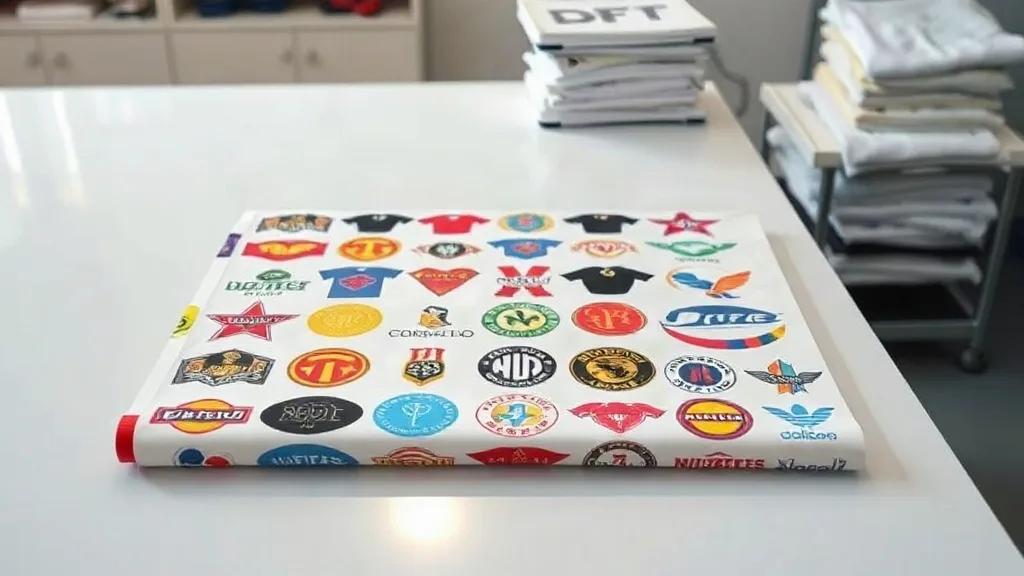
If you run a print shop or an apparel brand, you already know that transfer costs can quietly eat into your margins. A DTF Gangsheet is one of the simplest ways to bring those costs down without sacrificing quality. Instead of ordering each design on its own film, a gangsheet lets you place multiple designs on a single sheet, so you pay for one print run rather than many. The result is a lower cost per transfer, faster production, and less waste. In this guide, we will walk through how gangsheets work, when they make sense, and how to get the most out of them for custom apparel, patches, and small-batch orders.
What Is a DTF Gangsheet?
A DTF Gangsheet is a single sheet of DTF film that contains multiple designs arranged together. Think of it like a digital contact sheet: you (or your supplier) lay out several graphics, size them appropriately, and print them all at once. After printing, the sheet is powdered with adhesive, cured, and then cut into individual transfers. Each transfer is then pressed onto a garment or patch as usual. The key advantage is economy of scale: the fixed costs of setup, film, ink, and powder are spread across many designs instead of just one.
Gangsheets are not a new concept in printing. Screen printers have long used gang runs to fill a screen with multiple images. DTF takes that idea and makes it accessible to small shops and print-on-demand sellers who may not have the volume for a full screen setup. Because DTF is digital, you can gang designs of different colors, sizes, and shapes on the same sheet without any extra setup between them.
Why Gangsheets Matter for Custom Apparel
Custom apparel is often a business of small margins and tight deadlines. A customer wants ten shirts with a logo on the front and a different logo on the back, or a streetwear brand needs a mix of sizes and designs for a drop. Printing each design separately means paying for multiple film sheets, multiple powder applications, and multiple cure cycles. A gangsheet consolidates those steps. The savings can be significant, especially for orders with many small designs.
Beyond cost, gangsheets improve workflow. When you have a single sheet with all the transfers for an order, it is easier to keep track of what belongs to whom. You can label the sheet, cut the transfers apart, and stack them in order. For print-on-demand sellers who fulfill many small orders, a gangsheet can be a way to batch production without batching inventory.
Cost Savings in Practice
Let us look at a simple example. Suppose you need 20 transfers of a small chest logo, each about 3 inches wide. If you order them individually, you might pay a per-transfer price that includes film, ink, powder, and labor. If you gang them onto a single sheet, the per-transfer price drops because the sheet is priced by area or by sheet, not by design count. Many DTF suppliers price gangsheets by the square inch or by a standard sheet size, so the more designs you fit, the lower your cost per piece.
The savings are even more pronounced when you mix sizes. A sheet that holds one large back print might also hold several small sleeve or pocket logos in the leftover space. By nesting designs efficiently, you can maximize the usable area and minimize waste. This is where a little planning goes a long way.
How to Prepare a Gangsheet
Preparing a gangsheet is part design work, part logistics. You need to know the dimensions of the sheet your supplier offers, the minimum spacing required between designs, and any bleed or cut marks. Most suppliers provide a template or specify a maximum print width. Start by listing all the designs you need, along with their sizes and quantities. Then arrange them on the sheet in a way that minimizes empty space. Keep in mind that designs should not touch, and you need enough margin for cutting.
It helps to group designs by color or by garment type if you are producing for a specific order. For example, if you have a run of black tees with white logos, you can gang all the white logos together. If you have a mix of colors, that is fine too, but consider how you will cut and sort them later. Labeling each design on the sheet (or keeping a map) can save time during pressing.
Design Placement Tips
- Rotate designs to fit better, but avoid rotating text or logos that have a clear orientation.
- Leave at least 0.25 inches between designs for clean cutting.
- Place larger designs first, then fill gaps with smaller ones.
- Keep similar colors together to make sorting easier.
- Use the sheet's full width and height; do not leave large empty borders.
Choosing the Right Sheet Size
DTF gangsheets come in various sizes, from small sheets for a handful of designs to large rolls for high-volume production. The right size depends on your order volume and the size of your designs. For a small shop doing a few dozen transfers a week, a mid-sized sheet might be perfect. For a print-on-demand operation with hundreds of small designs, a larger sheet or roll can be more economical. Consider your press size as well: you need to be able to handle the sheet during powdering and curing. If you outsource production, your supplier will have standard sizes; ask for their price list and templates.
Pressing Gangsheet Transfers
Once you receive your gangsheet, you will need to cut the individual transfers apart. Use sharp scissors or a vinyl cutter for straight edges. Then press each transfer according to the supplier's instructions. Typically, this involves pre-pressing the garment, placing the transfer, and pressing at a specific temperature and pressure for a set time. Because gangsheet transfers are produced together, they should have consistent quality, but always do a test press on a scrap garment to dial in your settings.
One advantage of gangsheets is that you can cut them into individual transfers and store them flat or rolled. Keep them away from moisture and direct sunlight. If you are pressing many transfers, organize them by design or by order to avoid mixing them up.
Common Pressing Mistakes to Avoid
Even experienced operators can run into issues. Pressing too hot can cause the adhesive to bleed or the film to distort. Pressing too cold can result in poor adhesion. Always follow the supplier's recommended settings and use a heat press with consistent pressure. If you are pressing onto difficult fabrics like polyester or blends, consider a lower temperature and a longer dwell time. And do not forget to peel the film correctly: most DTF transfers are cold peel, but some are hot peel. Check the instructions.
Gangsheets for Patches and Small Items
DTF is not just for shirts. It works well for patches, bags, hats, and other accessories. A gangsheet can include designs for different item types, as long as the transfer size fits. For patches, you can gang multiple patch designs on one sheet and then press them onto patch blanks or directly onto garments. This is especially useful for small runs of custom patches where setting up a separate embroidery or woven patch order would be too expensive. The same cost-saving logic applies: one sheet, many patches.
When to Use a Gangsheet (and When Not To)
Gangsheets are ideal when you have multiple designs that need to be produced at the same time, especially if they are small to medium in size. They are also great for print-on-demand sellers who want to batch orders without committing to large inventory. However, if you only need a single large design, a gangsheet may not offer savings. Similarly, if your designs require different production settings (e.g., some need a special powder or cure), you might need separate sheets. Always calculate the cost per transfer to see if ganging makes sense.
Frequently Asked Questions
How many designs can fit on a DTF gangsheet?
It depends on the sheet size and design dimensions. A standard 13x19 inch sheet can hold several small logos or one large back print. Suppliers often provide templates; you can use design software to arrange your artwork and count how many fit. The key is to maximize usable area while leaving space for cutting.
Can I mix different fabric types on one gangsheet?
Yes, the gangsheet itself is just a carrier. The transfers can be pressed onto different fabrics as long as you adjust your press settings for each fabric. However, if you are using a single sheet for an order that includes both cotton and polyester, be mindful that pressing conditions may vary. It is often easier to group by fabric type.
Do gangsheets work for full-color photographic designs?
Absolutely. DTF printing handles full-color images well, including photographs and gradients. Gangsheets simply combine multiple designs on one sheet, so you can include photographic designs alongside vector logos. Just ensure the resolution is high enough for the size you need.
How should I store unused gangsheet transfers?
Keep them in a cool, dry place away from direct sunlight. Humidity can affect the adhesive powder, so store them in a sealed bag or container if possible. Avoid folding or creasing the transfers, as that can damage the print. Roll them loosely if you have many.
Can I order a gangsheet with just one design repeated many times?
Yes, that is a common use case. If you need 50 identical transfers, you can gang the same design multiple times on one sheet. This is often more economical than ordering 50 individual transfers, especially for small designs.
DTF gangsheets are a practical tool for anyone in custom apparel. They reduce costs, streamline production, and open up possibilities for small batches and mixed orders. Whether you are a print shop looking to improve efficiency or a brand wanting to offer more designs without raising prices, a gangsheet is worth exploring. Start with a small test sheet, refine your layout, and see how much you can save.